Asterisk Select to dial
Here's a simple application that will originate a call by selecting a phone number with the mouse. It will automatically send the number to asterisk and pickup the first line on a Cisco phone. I did the Windows program with Autoit and the Asterisk AMI. It's working with the latest PJSIP channel.The application sits in the systray and wait for the following keyboard shortcut:
Ctrl + q = The application will check if a valid phone number is in the clipboard buffer. If nothing is found it will drag the mouse in front of the current mouse position and select a phone number.
If a message has been selected in Outlook and Ctrl + q is pressed, it will do a regex to extract the sender's name and do a reverse lookup in the personal directory to find the phone number that matches the name.
Alt + q = Show an input box to manually enter a phone number.
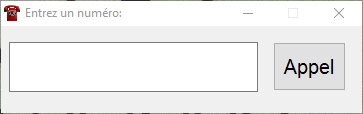
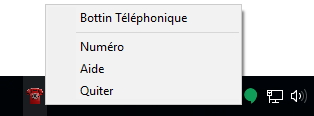

The application will import a personal directory from the application's folder by reading a csv file called téléphone.csv with the folowing column:
Name,Department,Phone Number,Extension number, Office Number
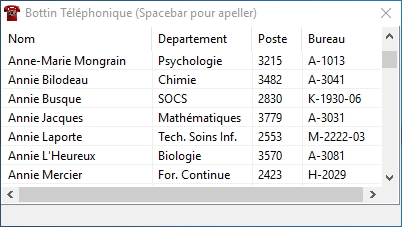
You can start typing the first letters of the name you are looking for and it will go directly to it. You can then press the spacebar to lauch a call.
Here is the info needed in /etc/asterisk/manager.conf:
[Autoit_Dialer]
secret = sknfd67sndoasd8no89hdsfas
read =
write = call,command,originate
deny=0.0.0.0/0.0.0.0
permit=192.168.0.0/24
The Settings.ini file will have the following:
[Settings]
Mon_Poste=2000 <------ This is your caller ID number.
Nom_Utilisateur_Cisco=my_user_ID <------ This is your endpoint user id to authenticate to asterisk
Serveur_Sip=192.168.0.6 <------ Asterisk's IP address
Context=default <------ Asterisk's context
Caller_ID_Name=Jack Black <------ This is your caller ID name